.png)
Using Pay Over Time on your Campaign
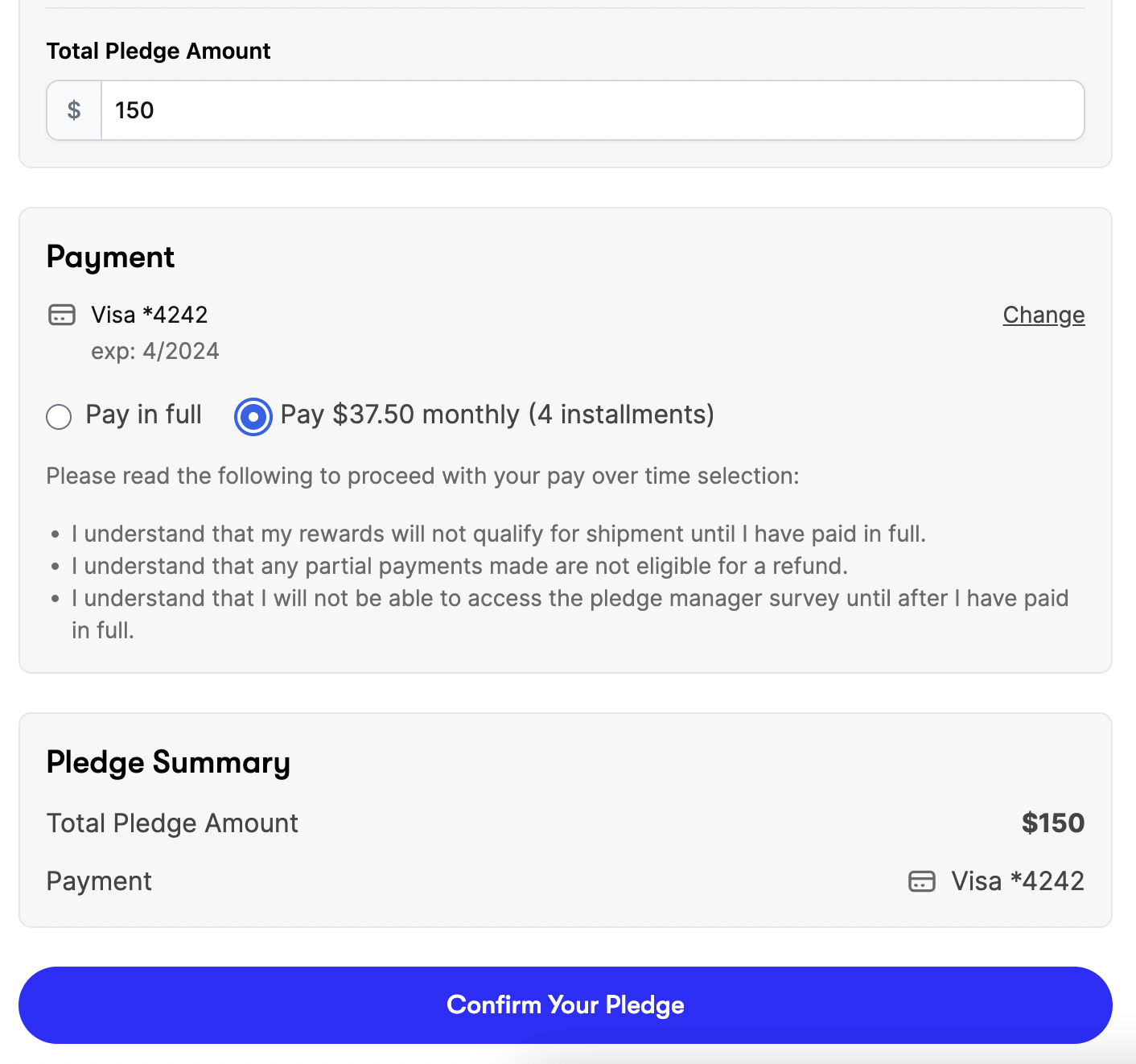
BackerKit’s Pay Over Time feature lets backers pledging $150 or more split their total into four monthly payments after the campaign, instead of paying all at once. This makes higher value pledge levels more accessible by spreading the cost across the time between the campaign and fulfillment.
How does it work?
When enabled, backers with orders over $150 will see a Pay Over Time option at checkout. After a successfully funded campaign ends, their balance is split into four monthly payments. Backers can pay off their balance early in the app, but won’t be imported into Pledge Manager or receive their survey until the full amount is paid.
Is it a good fit for your campaign?
-
Pledges over $150: Only backers who pledge over $150 will see the Pay Over Time option, so if your average pledge amount is under $150, this feature is not a good fit.
-
Delayed Funds: Creators will receive the funds ~10 days after each payment. This means that for backers who select Pay Over Time, you will receive a quarter of their balance each month for 4 months.
-
Stripe Fees: Creators will need to pay the standard Stripe transaction fees on each Pay Over Time payment. This can affect your margin a bit on users who pay over time, so it is worth considering when deciding on pricing.
-
Pledge Manager Surveys: Backers who selected Pay Over Time will be imported into Pledge Manager but will not be surveyed until their full pledge balance is paid. Once the 4 months are up or full pledge payment is paid, whichever comes first, backers will be automatically invited to the survey. Their surveys are updated within 24 hours and will automatically be sent in the next daily batch. This means these backers' Pledge Manager surveys will be delayed.
-
Fulfillment Timeline: Related to survey sending, when using Pay Over Time, it is best that you do not begin fulfilling until all 4 payments have been processed (about four months after campaign end). It's important that your fulfillment timeline leaves enough time for payments to be completed.
- Failed Payments - Backers have 14 days to fix failed payments, which also applies to the final fourth installment. After 14 days, failed payment backers will automatically receive their survey invite in the Pledge Manager.
Pay Over Time can be a great option for creators who have expensive pledge levels, can afford to get some of their funds later in the game, and have some time before fulfillment.
How can I set it up?
The Pay Over Time feature can be enabled on Payment Setup → Pay Over Time.
Notes:
🛑 Need to cancel a Pay Over Time pledge?
⚠️ Important: Just canceling the survey or issuing a refund will not stop future automatic payments from being collected and the backer will continue to be charged regardless of survey cancellation.
Standard pledges can be canceled and refunded normally, but Pay Over Time pledges must be canceled in two places to halt future automatic billing. Canceling the survey or refunding alone will not stop future charges.
Because Pay Over Time billing is unique, you must complete both steps to completely stop future automatic charges:
-
Issue any refunds on the crowdfunding side. (How? Learn more »)
(Note: Refunds can only be issued once per installment for Pay Over Time pledges. If you've partially refunded a single installment payment i.e. Payment #2 of 4), you will not be able to refund the remainder in the future).
- In the Pledge Manager: Cancel the backer's survey. (How? Learn more »)
- Contact Support: Reach out to Backer Support and request a cancellation on the crowdfunding side to fully end the Pay Over Time plan (this is currently a staff-only action).
⚠️ Important Note: We strongly recommend not allowing backers to make changes to their Pay Over Time pledges until surveys are sent due to the intricacy of recreating these pledges in the pledge manager. Pay Over Time pledges cannot be modified until surveys are sent and installment amounts cannot be changed. View our public-facing backer Pay Over Time policies here.