.png)
Referral Tags Help Guide
What a Referral Tag Is
A referral tag is a custom label added to the end of your project URL that allows you to track where visits, signups, and pledges are coming from. Each tag represents a specific source, channel, or campaign so you can clearly see what is driving results.
Example structure:
?ref=your-ref-source
Why Referral Tags Are Important
Using referral tags allows you to:
- Understand which channels are driving traffic and conversions
- Compare performance across email, ads, influencers, and social posts
- Optimize efforts based on real data
- Attribute results to specific partners or campaigns
Without referral tags, traffic is grouped together, making it much harder to evaluate what is actually working.
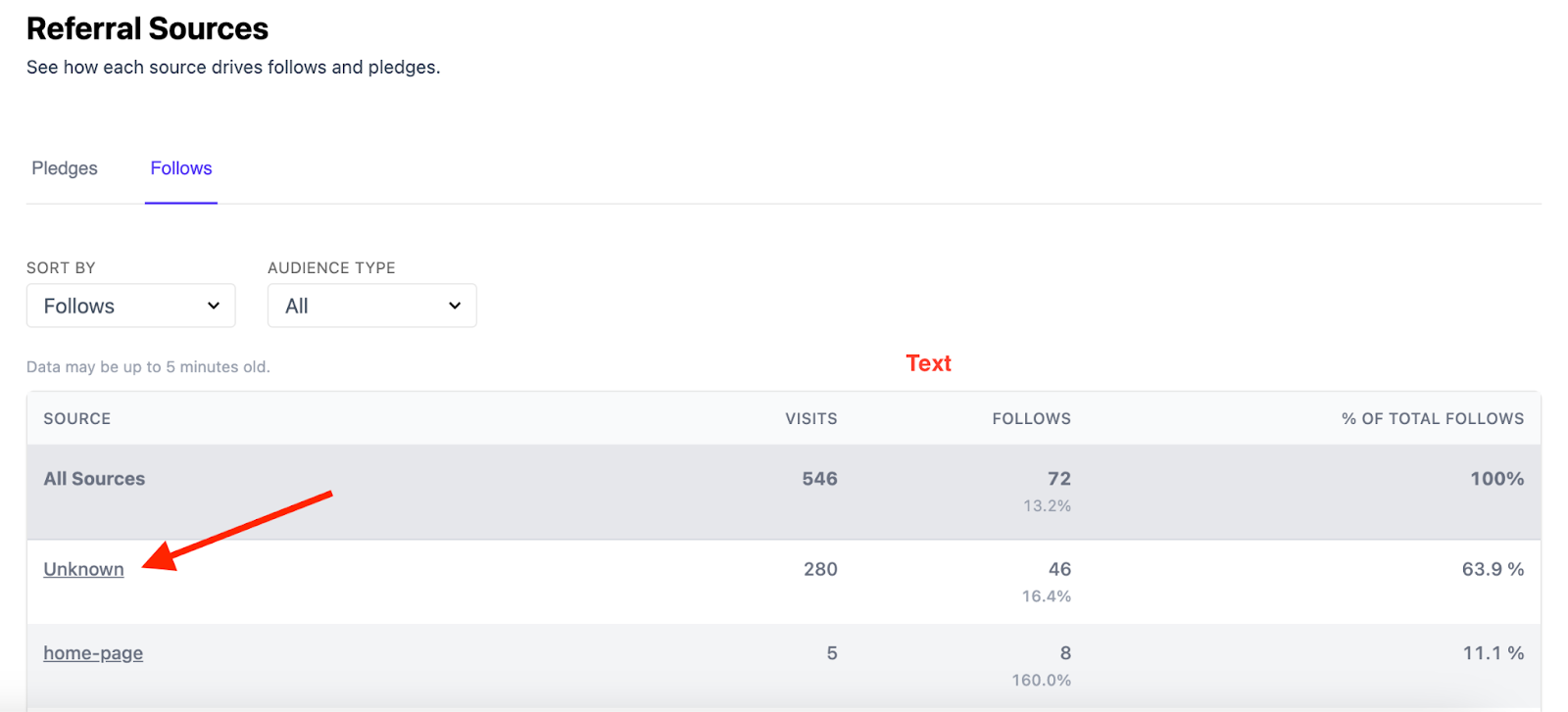
Note: If you don’t add referral tags, traffic and conversions may be bucketed as an “unknown” source. You won’t be able to see exactly which sources led to your success or leverage that knowledge to optimize your marketing efforts.
How to Create a Referral Tag
The easy way for BackerKit projects: Once your Pre-Launch Page is published, on your project dashboard's Take Action module, type where you're sharing (e.g. discord, newsletter, my-youtube) under "Where are you sharing this?" and copy the generated link. It adds the ?ref= tag for you.

Example:
https://www.backerkit.com/c/projects/creator-name/project-name?ref=john-doe-youtube
Note: Use your project's base campaign page URL. It points at your Pre-launch Page before launch and your campaign page after, so the same tagged link keeps working.
*Admins will always be taken to their draft campaign page.
Best practices:
- No white spaces (Use dashes instead)
- No special characters
- Keep tags lowercase
- Make them easy to recognize later in reporting
When and Where to Use Referral Tags
Add referral tags to any link to track exactly where your traffic is coming from.
Referral tags should be used anytime you are driving traffic and want to understand where people are coming from. They are not limited to specific platforms, channels, or campaign types.
This applies across all stages of your campaign and all traffic sources, including but not limited to:
Pre-launch and Live Campaigns
- Pre-launch Page URLs
- Teaser page URLs (BackerKit Launch)
- Email campaign URLs sent outside of BackerKit Launch
- Paid ads across any platform
- Organic social posts
- Influencer posts and promotions
Examples:
?ref=prelaunch-facebook-ads
?ref=launch-instagram-post
Social Media and Content Platforms
- Twitter or Bluesky posts
- YouTube video descriptions and pinned comments
- Instagram bio links and stories
- TikTok links
- Discord announcements
- Reddit posts or comments
Example:
?ref=youtube-description
Email Campaigns (sent outside of BackerKit Launch)*
*BackerKit Launch automatically tags email campaigns
- Separate tags for each send or audience segment
- Useful for comparing performance across emails over time
Example:
?ref=update-3-email
Paid Advertising
- Facebook, Instagram, Reddit, Google, TikTok, or any other ad platform
- Separate tags by platform, campaign, or test variation
Example:
?ref=google-search-ads
Influencers, Partners, and Press
- Each creator, partner, or outlet should have a unique referral tag
- Enables clear attribution of traffic and pledges
Example:
?ref=creator-name-twitter
Where to See Your Results
Before you launch: referral sources for your Pre-launch Page followers appear on your project's Referral Sources page, under the Follows tab.
Once you're live: visits, checkouts, and pledge dollars by source appear on your Dashboard, under LIVE STATS in the sidebar.
Simple Rule of Thumb
If you are sharing a link and want visibility into how it performs, use a referral tag.
Consistent use of referral tags ensures cleaner reporting, better decision making, and clearer insight into what is actually driving traffic, signups, and pledges.