.png)
Fulfillment Delays: What to do When Timelines Shift
Overview
Fulfillment delays can happen for many reasons, even on well-planned and carefully managed projects. Manufacturing issues, freight slowdowns, customs delays, and unexpected events can all impact timelines. While delays are frustrating for both creators and backers, how you communicate during these moments makes a significant difference. This help guide outlines the most common causes of fulfillment delays, recommended steps creators can take to address them, and best practices for keeping backers informed.
Note: One of the most important things you can do when facing a delay is to communicate early, consistently, and transparently, even when the update contains difficult news. Projects that communicate regularly with backers tend to see fewer chargebacks, disputes, and other Trust and Safety issues, because backers feel informed, respected, and confident that progress is being made throughout fulfillment.
Common Reasons for Delays
- Manufacturing delays caused by material shortages, production errors, quality control issues, or required product revisions.
- Freight and logistics slowdowns due to port congestion, limited carrier capacity, weather disruptions, or transport scheduling issues.
- Fulfillment and warehouse bottlenecks including receiving backlogs, inventory mismatches, damaged cartons, or complex SKU configurations.
- Customs and import delays resulting from incorrect paperwork, unpaid duties, inspections, or changing regional regulations.
- External marketing factors such as geopolitical instability, pandemics, fuel cost increases, or global supply chain disruptions.
- Financial and payment processing delays caused by verification holds, fraud checks, failed backer payments, or missing tax documentation.
- Backer or creator-driven issues such as missing survey responses, address errors, expanded project scope, or late-stage production changes.
What You Can Do
- Update Important Dates in your BackerKit dashboard so timelines stay accurate.
- Communicate with your fulfillment partner about updated ETAs or packing needs.
- When working with a team, document the change internally so your messaging stays consistent and clear.
- Please do not make any survey edits on your own. If an issue requires survey changes, contact your Success Manager or hello@backerkit.com.
- For minor updates such as production or shipping delays, communicate directly with your backers through campaign updates. If you would like help wording the message, reach out to our team.
- Share with Backer Support: If enabled, provide them a short snippet of the update so they can share with backers.
How to Communicate With Backers
Best practices
- Explain the cause of the delay clearly and politely.
- Provide a revised timeline (or the expected window).
- Share next steps so backers know what to expect.
- Updates: Clearly state the frequency of your updates and when backers can expect the next communication.
- Reassure backers that their pledges are secure and production is still progressing.
- Avoid placing blame or oversharing internal details.
Where to post updates
- Campaign updates
- Social channels
- FAQs
Example phrases
- “We recently hit a delay due to X and are working with our partners to resolve it.”
- “We expect our next update by [date], and will continue updating monthly.”
- “No action is required from you at this time.”
Campaign Update Messaging Templates
Delay Announcement
“We encountered a delay due to X. We are currently working with our manufacturers and logistics partners to adjust timelines. This does not affect your pledge or shipping fees. Our next update will be posted by [date]. Let us know if you have any questions. Thank you for your patience and understanding.”
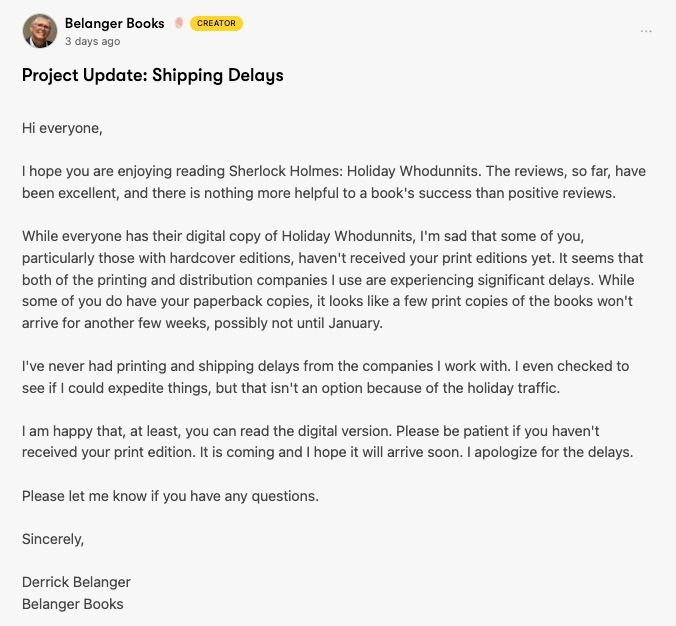
Example:
Follow-Up Update
“Here is the latest status on our delay. We have completed X and are now moving into Y. No action is required from you at this time. Thank you again for your continued patience and support.”