.png)
Accessing Your Patreon or VIP Exclusive Pledge Level and Rewards
Some campaigns offer locked pledge levels either through Patreon (for patrons) or for VIP backers (previous supporters of the creator's campaigns, mailing list subscribers, placing a reservation before the campaign launched (Learn more ») or other special groups, etc.) (VIP backer tiers aren't connected to Patreon; instead, access is based on the email address the creator used to build their VIP list.)
👉🏽 How do I Update My Email Address » | Pre‑launch Reservation FAQ »
What's the Difference and How do I Unlock Them?
|
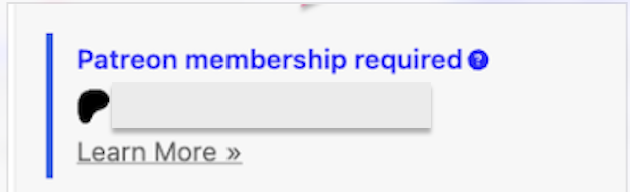
LOCKED PATREON PLEDGE LEVEL |
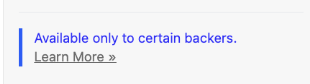
LOCKED VIP BACKER PLEDGE LEVEL |
| BackerKit verifies your patron status by matching the email on your BackerKit account to the email on your Patreon account. If these don’t match, BackerKit won’t recognize you as a patron and your exclusive pledge level won’t appear. | BackerKit verifies your eligibility by matching the email on your BackerKit account to the email associated with your VIP status (for example, the email you used to back a previous campaign, reserve, sign up for the creator's mailing list). |

|

|
|
How to Access? 👉🏽 Patreon Backers (Click Here) » |
How to Access? 👉🏽 VIP Backers (Click here) » |
|
|
|
How to Access A Locked Pledge Level
Jump to the relevant section depending on how you supported the creator.
How to Access Locked Patreon Tiers or receive Patreon rewards
BackerKit × Patreon integration
Update your BackerKit email to match your Patreon email address:
- Log in to your BackerKit account.
- Go to Account Settings and update your email before pledging to match the one on your Patreon account.
- Save your changes.
- Wait up to 24 hours for BackerKit to recognize the update.
- Return to the campaign—your Patreon-exclusive pledge level should now be visible.
Note: Updating your email address retroactively will not automatically switch you into the correct Pledge Level, or add any Patreon rewards to your pledge. You will need to manually switch your pledge level, cancel and re-pledge, or reach out to Backer Support with verification to switch your Pledge Level or add any missing Patreon rewards before the campaign ends.
- If the campaign has ended, we cannot update your email address and apply incentives or switch your pledge level until your survey is sent. Please reach out once surveys are sent.
Tip: Not sure which email you use for Patreon? Log in to Patreon and check under Settings → Account Info.
Using a Private Relay or Masked Email Address?
You may be using a private relay or masked email address (such as Apple’s Hide My Email feature) for your Patreon account. Because relay addresses are unique generated aliases, they cannot be matched to your BackerKit account.
Due to the nature of how these emails work, if you update your BackerKit account email to your private relay address, you will not be able to receive emails from us. It is recommended that your Patreon email be updated to your BackerKit email address such as 'example@gmail.com' to ensure everything runs smoothly. After updating your Patreon email address, please wait 24 hours for your information to sync before attempting to pledge again.
If you are unable to change your Patreon account email, please contact our support team directly. We’ll manually verify your Patron status and get you set up as long as the campaign has not ended. See the “Contact support” section below for what to include in your message.
Still not working? Contact support
If it has been more than 24 hours and your exclusive pledge level still isn't showing, we can manually verify your patron status.
- Go to the FAQ tab on the project page.
- On the right-hand side, select Ask a Question.
- In the dropdown menu, be sure to choose, "I have a question for Backer Support"
Please include the following in your message to our Backer Support team:
- A screenshot of your active membership to the creator’s Patreon, showing your name and current paid subscription.
- Your BackerKit and Patreon email addresses, so we can verify your eligibility.
- If there are multiple Patreon Pledge Tiers available, please let us know which pledge level you'd prefer!
Please note: You must pledge to an existing tier before we can manually switch your pledge level. Updating your email address is the fastest way to get access if your emails don’t match.
Accessing a VIP or Exclusive Pledge Level (non-Patreon)
Some campaigns offer locked pledge levels for VIP backers — such as previous supporters of the creator's campaigns, mailing list subscribers, reservation holders, or other special groups. These tiers aren't connected to Patreon; instead, access is based on the email address the creator used to build their VIP list.
How to get access:
BackerKit verifies your eligibility by matching the email on your BackerKit account to the email associated with your VIP status (for example, the email you used to back a previous campaign or sign up for the creator's mailing list).
If your exclusive pledge level isn't appearing:
- Check which email you used to back the creator previously, or to sign up for their mailing list.
- Log in to your BackerKit account and go to Account Settings.
- Update your email to match that address and save your changes.
- Wait up to 24 hours for the change to sync, then return to the campaign.
Still not showing after 24 hours?
Reach out to Backer Support — we can manually verify your eligibility with the creator. When you write in, please include:
- The email address you believe is associated with your VIP status
- Your current BackerKit email address
- Any confirmation you have of your VIP eligibility (e.g., a previous backing confirmation email, or a mailing list signup confirmation)
Note: Updating your email address retroactively will not automatically switch you into the correct Pledge Level, or add any Reservation rewards to your pledge. You will need to manually switch your pledge level, cancel and re-pledge, or reach out to Backer Support with verification to switch your Pledge Level or add any missing Reservation rewards before the campaign ends.
- If the campaign has ended, we cannot update your email address and apply incentives or switch your pledge level until your survey is sent. Please reach out once surveys are sent.
Not sure which email to use? The creator's campaign page or FAQ may have more details about how VIP access was set up. You're also welcome to contact us and we'll help figure it out.
Common question
I updated my email — why can’t I see the pledge level yet?
Email changes can take up to 24 hours to sync. Please check back after that window before writing in to support.