.png)
Where Are My Pledges?
How to Find Your Pledges & Surveys on BackerKit
A quick guide to locating your backing history and active surveys.
Overview
Once you are logged into your BackerKit account at backerkit.com, all of your pledges and surveys can be found by clicking your profile icon in the top right corner of the page, then selecting “Your Pledges & Surveys.” Depending on how and when you backed a project, your order will appear under a specific tab.

|
Quick note: If you have placed a Reservation on BackerKit, or received Instant Digital Rewards from a live campaign, you will find two additional tabs dedicated to viewing those reservations. 

|
If you do not have an account on BackerKit, you can recover your survey here. Need help? Learn more »
If you'd like to create an account, any survey matching your account email will automatically populate under the relevant tab.
Missing Digital Downloads? Review Where Are My Digital Downloads? »
Understanding Each Tab
1. Your Pledges
This tab contains only pledges made directly through BackerKit’s crowdfunding platform while a campaign was actively live. If you backed a project through BackerKit’s own campaign pages, it will appear here (aside from mega pledge manager surveys.) Preorders, Kickstarter pledges, manual orders, external store orders, mega pm, or pledges made through any other crowdfunding platforms, will not appear in this tab.
You’ll find your pledge here if:
- You backed a campaign on BackerKit while it was live

2. Your Surveys

This tab holds all of your surveys, once they're sent, for all projects. This includes:
- Pledges originally made through BackerKit, Kickstarter or other external crowdfunding platforms
- Preorders placed through BackerKit
- Late pledges placed after a campaign has ended
- Mega pledge manager core surveys (ex: Mothership Month, Mausritter Month, etc)
- Any project where the creator has sent out a survey
The Breakdown:
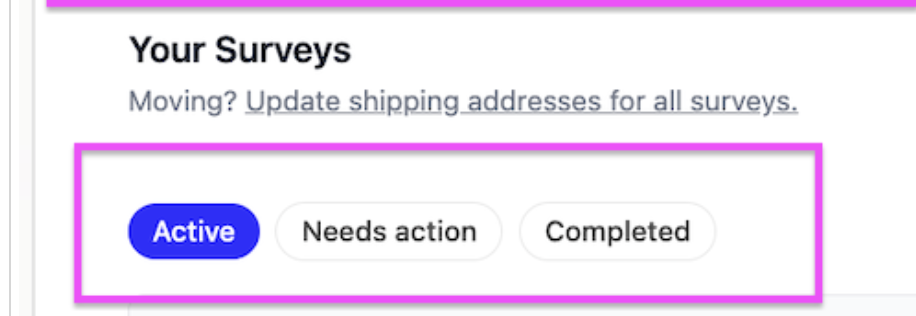
This section separates surveys into three statuses: "active", "needs action", or "completed" :
| Active: | Any survey that does not fall into the two categories below, i.e. a completed survey that is pending fulfillment. |
| Needs Action: | Any survey requiring action from you, such as: completion, payment info, shipping info, or pledge question answers. |
| Completed: | If you’re looking for a project you backed a while ago and can’t find it in the other tabs, always check here. Once an order has been marked as fulfilled or shipped, it moves here. |
Need to mark a survey as fulfilled? Learn more »
Step-by-Step: Locating Your Pledge
Follow these steps to find your order:
- Step 1: Go to backerkit.com and log in to your account.
- Step 2: Click your profile icon in the top right corner of the page.
- Step 3: Select “Your Pledges & Surveys” from the dropdown menu.
- Step 4: Check each of the tabs—Your Pledges, or Your Surveys —until you locate your order.
| 💡 Tip: Make sure you are logged in with the same email address you used when you originally backed the project. If you have multiple email addresses, try each one, as your pledge will only appear under the account linked to your original backing email. |
Still Can’t Find Your Pledge?
If you’ve checked all three tabs and still cannot locate your pledge, here are a few things to try:
- Check your email: Search your inbox for a confirmation email from BackerKit or the campaign creator. This email will confirm which account and email address your pledge is associated with.
- Check out this Help Doc: I Can't Find or Never Received My Survey - How Do I Find It? »
- Contact support: If you’re still having trouble, reach out to the project creator directly or contact BackerKit support for further assistance with a screenshot of your backer info (number), email, and project name.